Top up your balance
Fund your account with TRX or USDT-TRC20 — one deposit address, two currencies, credited automatically.
Your balance is the pot every purchase is charged from: one-off orders, automation refills, activation fees. It is held in TRX, and you fund it by sending crypto to a deposit address that belongs to you.
Two currencies are accepted: TRX and USDT-TRC20. Both go to the same address — you do not pick a currency anywhere, we recognise what arrived. The difference is what happens on arrival, and that is what the two blocks below are about.
Topping up costs nothing on our side. There is no card, no bank details, and no minimum monthly spend.
1. Get your deposit address
Two places show it, and it is the same address in both:
- Top up in the dashboard header — a dialog with the address, its QR code and the current rate;
- Wallet in the left menu — the same thing on a full page, plus your transaction history underneath.
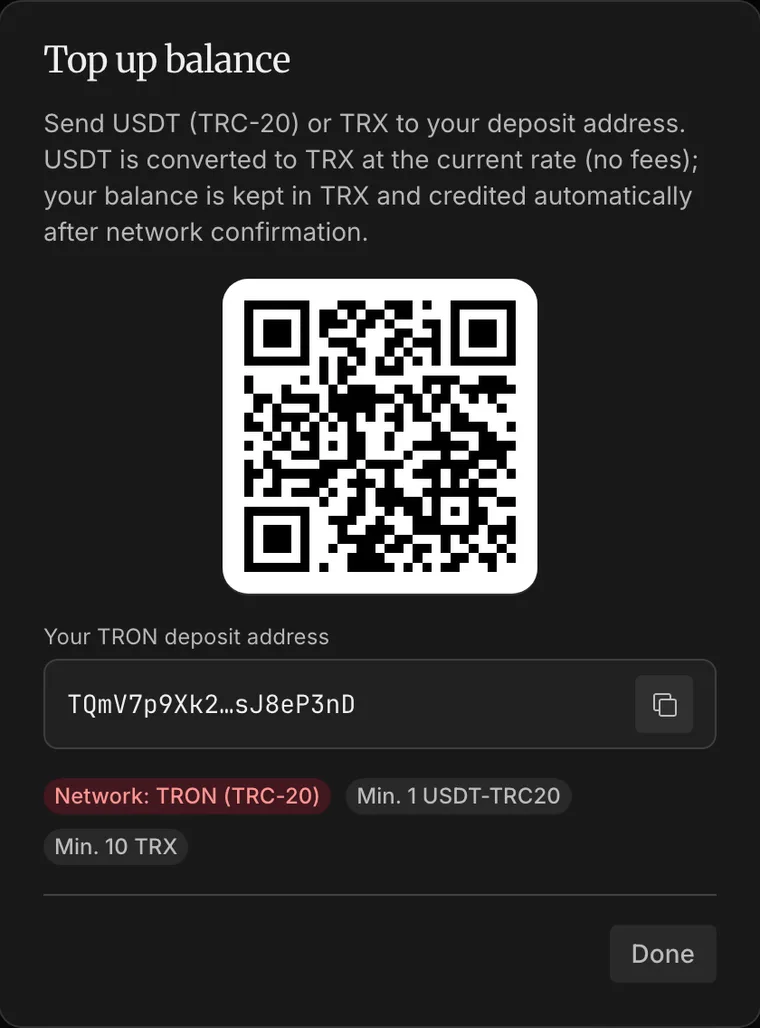
The address is created the first time you ask for it and never changes afterwards. Save it in your wallet's address book, whitelist it on your exchange, reuse it for every future deposit — it stays yours.
It is a TRON (TRC-20) address
USDT exists on many chains and they are not interchangeable. Sending USDT over Ethereum, BNB Chain or an exchange's own internal network means the money never arrives at this address, and it cannot be recovered by us or by you. Check the network selector before you confirm the withdrawal, every time.
2. Top up with TRX
The simplest path, because no conversion happens.
- Open Top up and copy the address (or scan the QR with your wallet app).
- Send TRX from any wallet or exchange, choosing the TRON network.
- Check the amount against the minimum shown in the dialog — smaller deposits may not credit.
- Send, and wait for the network to confirm.
What lands on your balance is the TRX that arrived. Nothing is converted, so there is no rate to watch and no difference between what you sent and what you can spend.
Use TRX when you already hold TRX, or when you top up regularly and would rather not think about the exchange rate each time.
3. Top up with USDT-TRC20
Same address, one extra step on our side.
- Open Top up and copy the same address.
- Withdraw USDT on the TRON (TRC-20) network — this is the field people get wrong; see the warning above.
- Mind the minimum for USDT shown in the dialog. It is a separate number from the TRX minimum.
- Send, and wait for the network to confirm.
On arrival the USDT is converted to TRX at the current rate, and the TRX lands on your balance. We take no
commission on the conversion itself. The dialog shows the rate we are using right now, in the form
1 USDT ≈ N TRX, so you can work out roughly what you will get before you send.
Because the rate moves, the exact TRX figure is fixed at the moment your deposit is credited, not at the moment you press send. Over a large deposit the difference is real — if the amount matters to the last TRX, send TRX instead.
Use USDT when that is what you hold. Most people funding an account for USDT transfers already have USDT and nothing else, and buying TRX by hand first only adds a step.
4. What happens after you send
Crediting is automatic — there is nothing to confirm, upload or submit, and no support ticket to open.
- The transfer confirms on the TRON network. This is the part that takes time, and it is out of our hands.
- Your balance updates and a
deposit.creditednotification appears (plus a webhook, if you have an endpoint configured). - The deposit shows up in Wallet and in History, with its transaction ID.
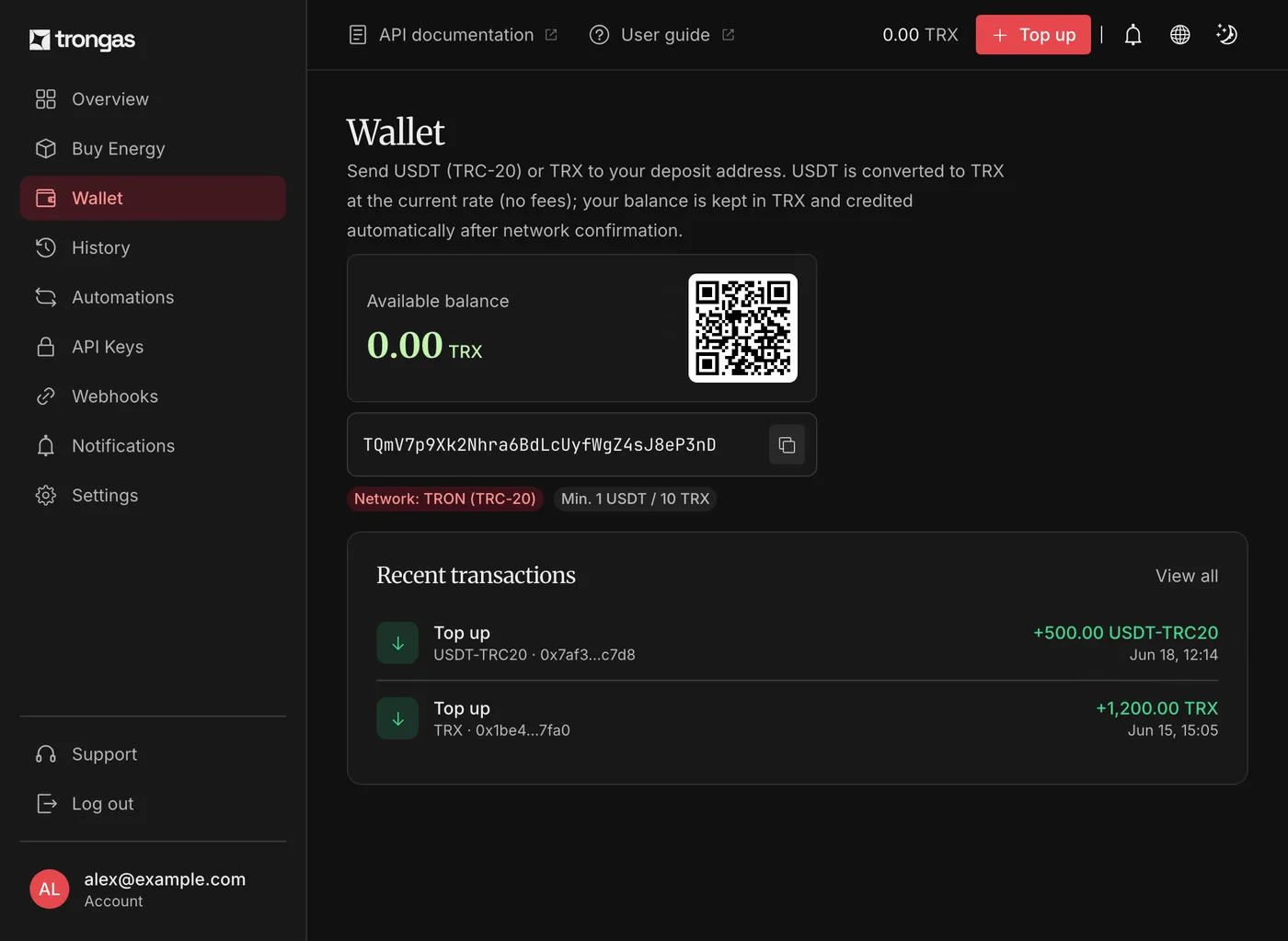
You do not need to sit and refresh the page. If you sent while logged out, the deposit still credits — it is tied to the address, not to your session.
5. Mistakes that cost money
Four failure modes, in the order they actually happen:
- Wrong network. The single most common one. USDT on Ethereum or BNB Chain does not arrive, and the funds are gone for good.
- Below the minimum. Deposits under the threshold in the Top up dialog may not credit.
- Someone else's address. Never send to an address copied from a guide, a screenshot or a chat — open your own Top up dialog and copy from there.
- Exchange withdrawal defaults. Exchanges often preselect their cheapest network, not TRON. Change it yourself before confirming.
6. Spending what you topped up
Once the balance is there:
- buy energy once, for a single address — see Getting started;
- or set up an automation so an address stays stocked without you.
Deposit not showing up? Work down the checklist in Troubleshooting.