How to Read a Transaction on TronScan: A Field-by-Field Guide
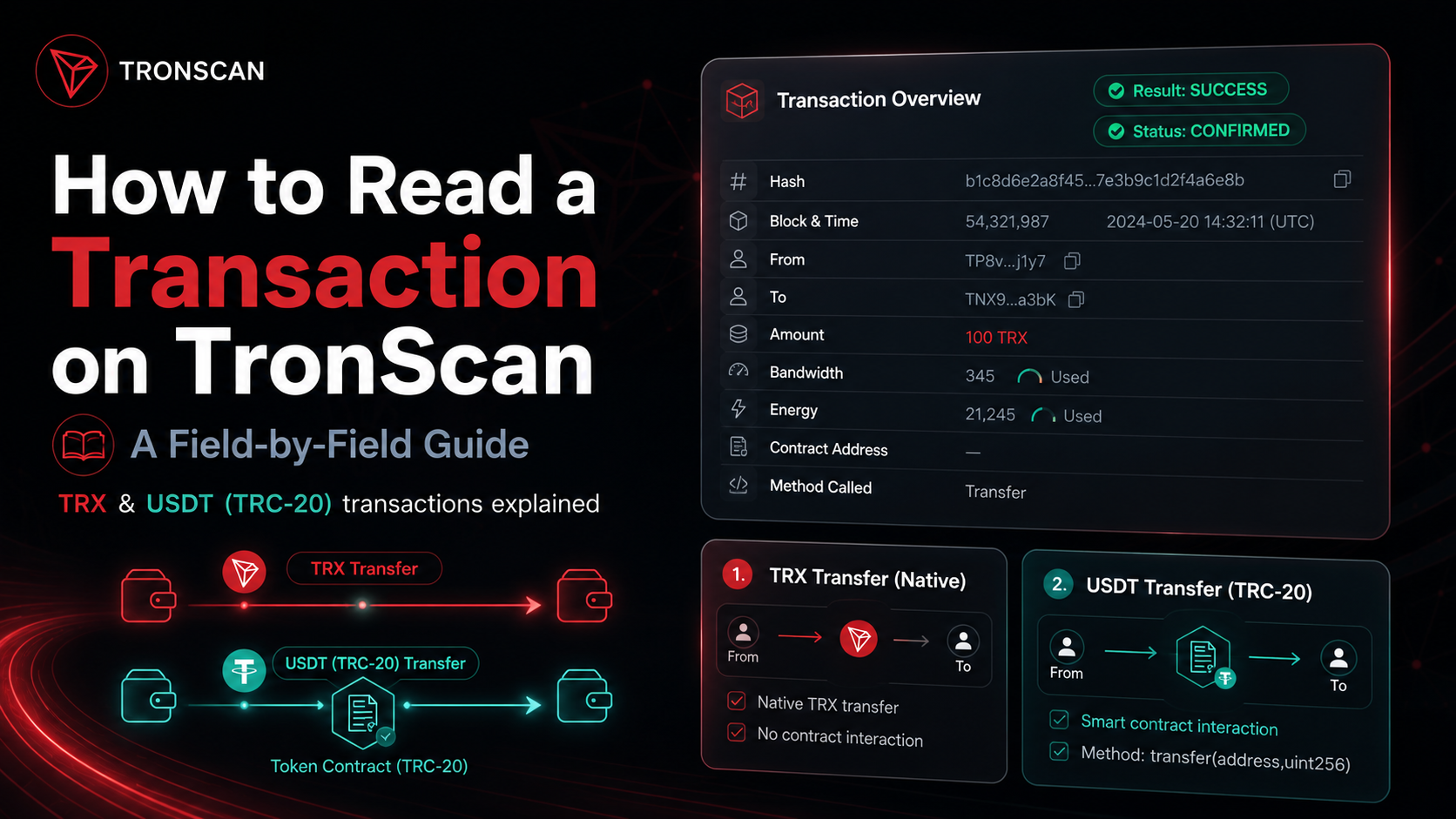
TronScan's transaction page can look intimidating the first time you open it — a wall of hashes, addresses, and numbers. Once you know what each field means, though, the logic is simple, and it stays simple whether you're looking at a plain TRX transfer or a more complex USDT (TRC-20) transaction. This guide walks through both, field by field.
A Regular TRX Transaction, Field by Field
Open any plain TRX transfer on TronScan and you'll see a fairly short list of fields:
- Hash — the unique transaction ID (txid). It's the proof of transfer, and it's what you'd share to let someone else look the transaction up.
- Result — the execution outcome.
SUCCESSmeans the network processed the transaction without errors. - Block & Time — the block number the transaction was included in, plus the timestamp it was recorded.
- Status — the confirmation state.
CONFIRMEDmeans the transaction is finalized and secured by the chain. - Confirmed by — the Super Representatives that confirmed the block. Mostly technical detail, not something you need to check day to day.
- Resources Consumed & Fee — which network resources the transaction used. A plain TRX transfer typically burns Bandwidth only, no Energy.
- From / To — the sender and recipient addresses.
- Amount — how much TRX moved.
One field that looks like blockchain data but isn't: Private Note. It's a label you can attach in TronScan's own interface — it doesn't exist on-chain and has no effect on the transfer itself.-
That's really all you need to verify an ordinary transfer: check Result and Status for success and confirmation, then confirm the sender, recipient, and amount match what you expected.
A USDT (TRC-20) Transaction Looks a Bit Different
USDT on Tron isn't a native asset — it's a token managed by a smart contract, so a USDT transfer is really a contract call, not a direct transfer of TRX. The top of the page looks the same (Hash, Result, Block & Time, Status), but a few fields change meaningfully.
- Resources Consumed & Fee now shows both Bandwidth and Energy — running the contract's transfer logic costs Energy, on top of the Bandwidth every transaction uses.
- Energy Fee Limit — the maximum you're willing to spend if you don't have enough Energy of your own. It's a ceiling, not a fixed charge: if your own Energy covers the call, you pay less (or nothing). Set it too low and the contract call can fail partway through.
The Fields Unique to Token Transfers
- Owner Address — the address that signed the transaction. In plain terms, the sender.
- Contract Address — the smart contract the transaction talks to. For a USDT transfer, this is USDT's own token contract, not a personal wallet.
- Token Transfer — the actual movement of tokens: source address, destination address, and amount, as recorded by the contract.
- Amount: 0 TRX — this looks wrong at first glance, but it isn't a bug. This field only reflects direct TRX sent in the transaction itself; a token transfer moves USDT through the contract call above, not TRX, so this line is correctly zero.
Method Called
This shows exactly which contract function the transaction invoked — for a standard USDT transfer, usually transfer(address _to, uint256 _value). The _to parameter is the recipient; _value is the amount in the token's smallest unit. USDT on Tron uses 6 decimal places, so 195000000 in that field means 195.000000 USDT.
Why USDT Transactions Look More Complex
A TRX transfer is one address sending the network's own asset to another — simple logic, Bandwidth only. A USDT transfer adds a layer: an owner address, a contract address, a token-transfer record, a method name and its parameters, and Energy consumption on top of Bandwidth. None of it is more "advanced" than the TRX case — there's just an extra layer (the smart contract) in between.
A Quick Reading Checklist
- Check Result and Status first — successful execution and network confirmation.
- Confirm participants and amount — From/To/Amount for TRX, or Owner Address and the Token Transfer block for USDT.
- Check Block & Time to see when it was recorded.
- Look at Resources Consumed & Fee — Bandwidth only for a plain transfer, Bandwidth + Energy if a contract was involved.
- For contract calls, check Contract Address and Method Called to see exactly what was executed.
Wrapping Up
Read a TronScan transaction as a handful of meaningful blocks rather than a wall of jargon. A plain TRX transfer needs just hash, result, status, block, sender, recipient, amount, and Bandwidth used. A USDT transaction adds one more block to think about: the smart contract — its address, the token transfer it recorded, the method it ran, and the Energy that method cost. If you send USDT or interact with contracts often, it's worth keeping enough Bandwidth and Energy on hand rather than burning TRX on fees for every transaction — that's exactly what TronGasAi's energy and bandwidth plans are for.
FAQ
It's the unique ID of the transaction (txid) — the reference you use to look the transaction up and check its details.
Result tells you whether the transaction executed successfully. Status tells you whether it's confirmed — verified and secured by the network.
Because that field only reflects TRX sent directly in the transaction. A USDT transfer moves tokens through a smart contract call instead of sending TRX, so the direct-TRX amount is correctly zero.
A USDT transfer runs a smart contract's transfer logic, and executing contract code costs Energy. A plain TRX transfer doesn't touch a contract, so it typically only uses Bandwidth.
The address of the smart contract the transaction interacted with — for USDT, that's the token's own contract, not a personal wallet address.
It shows exactly which contract function was invoked — for a standard USDT transfer, typically transfer(address _to, uint256 _value) — so you can see precisely what the wallet authorized, not just that "something" happened.